
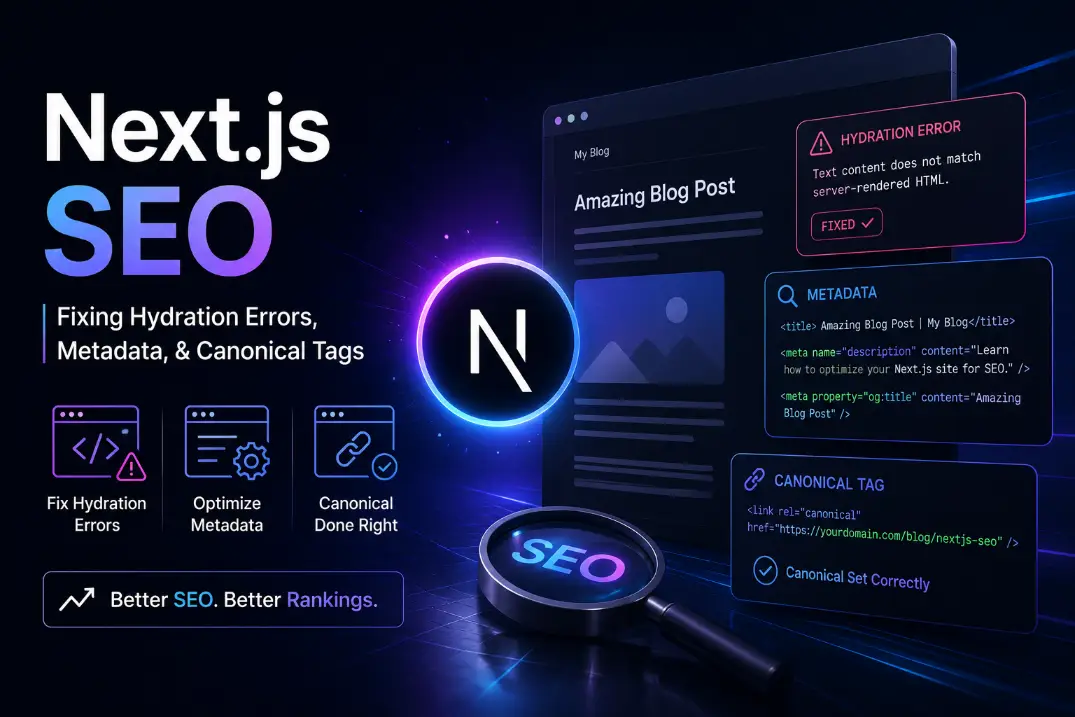
Next.js SEO: Fixing Hydration Errors, Metadata, & Canonical Tags

Expert Byline
Sushmith Reddy
Release Date
Last Updated
I audit a lot of massive web applications. And I see the exact same story play out every single week.
A company hires an expensive engineering team. The team builds a gorgeous, blazing-fast web app using Next.js. They deploy it on Vercel. The developers promise it is perfectly optimized. Then, the marketing team looks at Google Analytics three months later and wants to cry. Organic traffic is flatlining. Pages aren't indexing. Google Search Console is throwing a dozen weird errors.
Why does this happen?
Because Next.js is a Ferrari. But if you don't know how to actually configure the SEO mechanics underneath the hood, you are driving that Ferrari with the parking brake pulled all the way up.
Most agency blogs will give you basic advice. They will tell you to "write good title tags." We are not doing that today.
Grab a coffee. We are going to look at the actual, technical realities of Next js SEO. We are going to fix your hydration errors, master the new App Router metadata API, and dynamically inject canonical tags so Googlebot actually respects your code.
Quick Navigation Map:
The Reality of SEO in Next JS
Before we write a single line of code, we need to clear something up. Next.js does not magically do SEO for you.
Standard React apps use Client-Side Rendering (CSR). That means the server sends a blank HTML file and a massive chunk of JavaScript. The user's browser has to do all the heavy lifting to paint the UI. Googlebot hates this. It does not want to spend its processing power executing your JavaScript just to read a blog post.
Next.js fixes this by allowing you to render the HTML on the server. But you have to choose the right rendering strategy for the right page:
- Static Site Generation (SSG): The HTML is generated once at build time. It is incredibly fast. Use this for blog posts and marketing pages.
- Server-Side Rendering (SSR): The HTML is generated fresh on every single request. Use this for dynamic dashboards or user profiles.
- Incremental Static Regeneration (ISR): The sweet spot. It serves static HTML, but rebuilds the page in the background on a set timer. Perfect for massive e-commerce catalogs.
But serving server-rendered HTML is just step one. If that HTML contains broken canonical links, missing meta descriptions, or layout shifts, Google will still penalize you. True SEO nextjs optimization requires deliberate configuration.
Let's fix the biggest problems right now.
Problem 1: The Hydration Error Nightmare
If you write React code, you know what hydration is. It is the moment the static HTML from the server "wakes up" in the browser and becomes interactive.
But sometimes, the HTML rendered on the server does not exactly match the HTML rendered in the client. This is a hydration mismatch. And it is an absolute nightmare for Next js SEO optimization.
Why Google Hates Hydration Errors
When a mismatch happens, React panics. It often tears down the entire DOM tree and rebuilds it from scratch on the client side.
This causes two massive problems:
- Cumulative Layout Shift (CLS): The user sees the page violently flicker or shift. This destroys your Core Web Vitals score. Google actively demotes pages with bad CLS.
- Bot Confusion: Googlebot takes a snapshot of your server HTML. If your client-side JavaScript then aggressively rewrites that HTML a second later, Googlebot gets confused about which version is the "real" content.
The Standard Fix: The Mounted State
Hydration errors usually happen because you are relying on client-side data (like window.innerWidth or localStorage) during the initial render. The server does not have a "window." So it renders one thing. The browser renders another. Boom. Error.
The basic fix is to wait until the component mounts on the client before rendering that specific piece of UI.
import { useState, useEffect } from 'react'

export default function MyComponent() {
  const [isMounted, setIsMounted] = useState(false)

  useEffect(() => {
    setIsMounted(true)
  }, [])

  if (!isMounted) {
    return null // Or return a static server-safe skeleton loader
  }

  return <div>Client-side specific content goes here</div>
}
The Enterprise Fix: Dynamic Imports
If you have a massive, heavy client component (like a complex chart or a rich text editor), the isMounted trick isn't enough. You are still forcing the user to download all that JavaScript up front.
Instead, use Next.js dynamic imports. You can tell the framework to completely skip rendering this component on the server.
import dynamic from 'next/dynamic'

// This component will ONLY load on the client side
const HeavyChart = dynamic(() => import('../components/HeavyChart'), {
  ssr: false,
  loading: () => <p>Loading chart...</p>
})

export default function Dashboard() {
  return (
    <div>
      <h1>Your Analytics</h1>
      <HeavyChart />
    </div>
  )
}
Keep your core content server-rendered. Delay the highly dynamic, user-specific UI until the client takes over.
Problem 2: Mastering Next JS Metadata
If you are still using the old pages directory and importing next/head, it is time to upgrade. The App Router completely changed how we handle next js meta tags.
We now use the Metadata API. It is vastly superior. You can define static metadata in your layout.tsx, and it will cascade down to all your pages.
The metadataBase Trap
Before you write any meta tags, you have to define your metadataBase in your root layout. If you don't do this, Next.js will throw warnings, and your Open Graph social images will break because the framework doesn't know how to construct absolute URLs.
// app/layout.tsx
import { Metadata } from 'next'

export const metadata: Metadata = {
  metadataBase: new URL('https://www.yourdomain.com'),
  title: {
    default: 'My Awesome App',
    template: '%s | My Awesome App',
  },
  description: 'The best app on the internet.',
}
Generating Dynamic Meta Tags
Let's say you have an e-commerce store. You cannot hardcode the title tag. You need to fetch the product name from your database and inject it into the head.
Here is how you do it correctly for next js for seo. You use the generateMetadata function inside your page.tsx file.
import { Metadata } from 'next'

// Fetch your data
async function getProduct(id: string) {
  const res = await fetch(`https://api.yoursite.com/products/${id}`)
  return res.json()
}

// Generate the metadata dynamically
export async function generateMetadata({ params }): Promise<Metadata> {
  const product = await getProduct(params.id)

  return {
    title: product.name, // Will output "Product Name | My Awesome App"
    description: product.shortDescription,
    openGraph: {
      title: product.name,
      images: [{ url: product.imageUrl }],
    },
  }
}

export default function Page({ params }) {
  // Your page UI components here
}
Before the page ever hits the user's browser, Next.js hits your database, builds the perfect title tag, constructs the Open Graph image, and serves it all as raw HTML.
Problem 3: Sitemaps & Dynamic Canonical Tags
Duplicate content will slowly bleed your search rankings dry.
If your site can be accessed via yoursite.com/shoes and yoursite.com/shoes?color=red, Google sees two identical pages. It splits your ranking power between them. You fix this with a canonical tag. It tells Google, "Hey, ignore the URL parameters. This is the master copy of this page."
In the App Router, setting canonicals is incredibly clean. You just add the alternates object to your next js meta setup.
export const metadata: Metadata = {
  title: 'Awesome Running Shoes',
  alternates: {
    canonical: '/shoes', // Resolves to https://www.yourdomain.com/shoes
  },
}
Programmatic Sitemaps
You cannot rely on Googlebot to just guess your URLs. You need an XML sitemap. In the past, this required messy third-party plugins. Now, it is built natively into the App Router.
Just create a sitemap.ts file in your app directory. You can fetch all your blog posts from your database and map them directly into a Google-friendly format.
// app/sitemap.ts
import { MetadataRoute } from 'next'

export default async function sitemap(): Promise<MetadataRoute.Sitemap> {
  // Fetch all your dynamic routes
  const res = await fetch('https://api.yoursite.com/posts')
  const posts = await res.json()

  const postUrls = posts.map((post) => ({
    url: `https://www.yourdomain.com/blog/${post.slug}`,
    lastModified: new Date(post.updatedAt),
    changeFrequency: 'weekly',
    priority: 0.8,
  }))

  return [
    {
      url: 'https://www.yourdomain.com',
      lastModified: new Date(),
      changeFrequency: 'yearly',
      priority: 1,
    },
    ...postUrls,
  ]
}
Vercel seo optimization is highly dependent on this file. Deploy it, and submit the URL directly to Google Search Console.
The 2026 Next.js & SEO FAQ (Rapid-Fire Answers)
I get asked the same questions by executives and junior devs constantly. Let's clear the air and answer exactly what people are searching for right now.
Is Next.js good for SEO?
Yes. It is arguably the best React framework for search visibility. By allowing you to render pages on the server (SSR) or build them statically (SSG), it ensures search engines can read your content immediately without executing heavy JavaScript.
What is SEO in NextJS?
It is the practice of configuring the framework to serve clean HTML, structured metadata, and fast-loading assets. Out of the box, Next.js is fast. But "SEO in NextJS" means manually wiring up dynamic sitemaps, canonical tags, and Open Graph data using the Metadata API.
What are the 4 types of SEO?
If you want to rank a Next.js site, you have to hit all four pillars:
- Technical SEO: Server rendering, hydration fixing, and Vercel SEO optimizations.
- On-Page SEO: Keyword strategy, headings, and dynamic meta tags.
- Off-Page SEO: Building backlinks to your domain.
- Local SEO: Optimizing for geographical search intent (Google Business Profiles).
Is NextJS a backend or frontend?
It is a full-stack framework. It is primarily a frontend React framework, but it includes powerful backend capabilities (like Route Handlers and Server Actions) that allow you to connect directly to databases without a separate Node.js server.
Can Next.js replace backend?
For many small to medium applications, yes. You can build a complete SaaS product using just Next.js, Prisma, and a database like Postgres. However, massive enterprise systems still usually separate their Next.js frontend from a dedicated microservices backend (like Java or Go).
Is NextJS in high demand?
Absolutely. In 2026, it remains the undisputed industry standard for React developers. Companies want fast websites. Next.js delivers them. Knowing how to build in the App Router is a highly lucrative skill.
Is NextJS used by big companies?
Yes. Massive traffic giants like Netflix, TikTok, Twitch, Notion, and Hulu rely heavily on Next.js infrastructure to serve millions of users daily.
Is Next.js faster than React?
This is a trick question. Next.js is React. But a Next.js site is generally much faster than a standard "Create React App" (CRA) site. Standard React forces the user's browser to download a huge JavaScript file and build the page locally. Next.js builds the page on the server and sends it over instantly.
Is NextJS better than Angular?
They serve different purposes. Angular is a heavy, highly opinionated framework often loved by massive enterprise teams building internal dashboards. Next.js is generally preferred for public-facing websites where SEO, speed, and modern developer experience are the top priorities.
Is SEO an IT skill?
It is a hybrid skill. Creating content is marketing. But Technical SEO (like fixing hydration mismatches, managing crawl budgets, and optimizing server response times) is absolutely a hard IT and software engineering skill.
Is SEO dead or evolving in 2026?
It is rapidly evolving. The old tricks of keyword stuffing died years ago. Today, SEO is about user experience, site speed, and proving real human expertise. If your site is slow and unhelpful, you will not rank.
Is SEO replaced by AI?
No. AI is changing how people search (like Google's AI Overviews), but it is not replacing the need for Technical SEO. AI engines still have to crawl websites to find data. If your Next.js site has broken metadata or blocks crawlers, the AI will never find you. SEO is now about optimizing for both human readers and AI data scrapers.
The Bottom Line
Next.js gives you all the tools you need to build an SEO powerhouse. Vercel's edge network will serve your pages blazingly fast. But you are the engineer. You have to wire it up. Fix your hydration errors. Use the Metadata API properly. Control your canonical links. Build something great, and make sure Google can actually read it.